For practitioners
ELA Map for astrologers and Human Design practitioners
The map, and the classical techniques beside it, so a session does not mean another tab. Pro is the practice tier: walk a client through it on a full screen, keep every client chart in one place, and hand over exports under your own name.
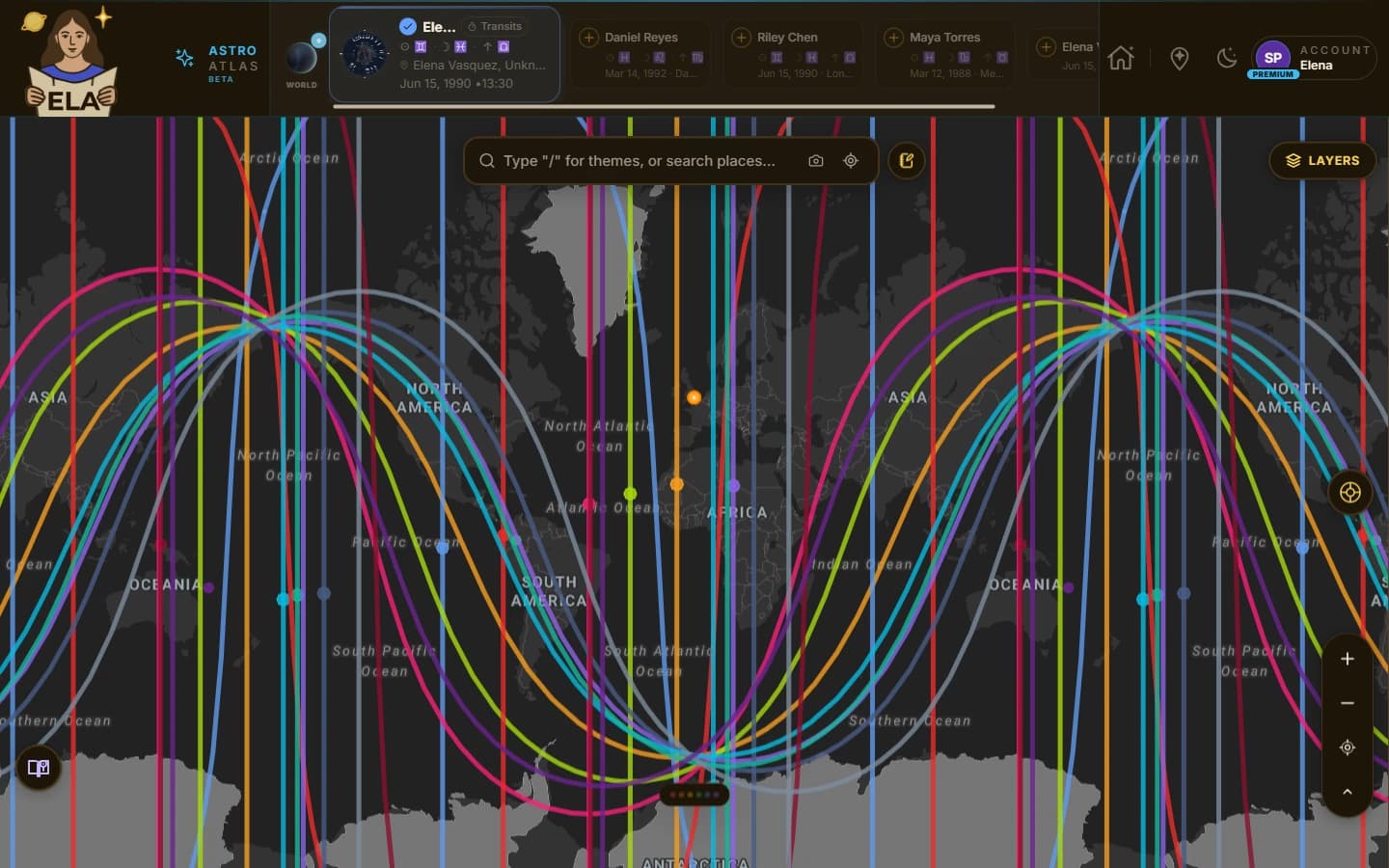
Everything Pro adds
Everything in Premium is included: the full astrocartography and Human Design map, every heatmap and interpretation. Pro adds the tools and techniques below.
Your practice
Where your client work lives between sessions.
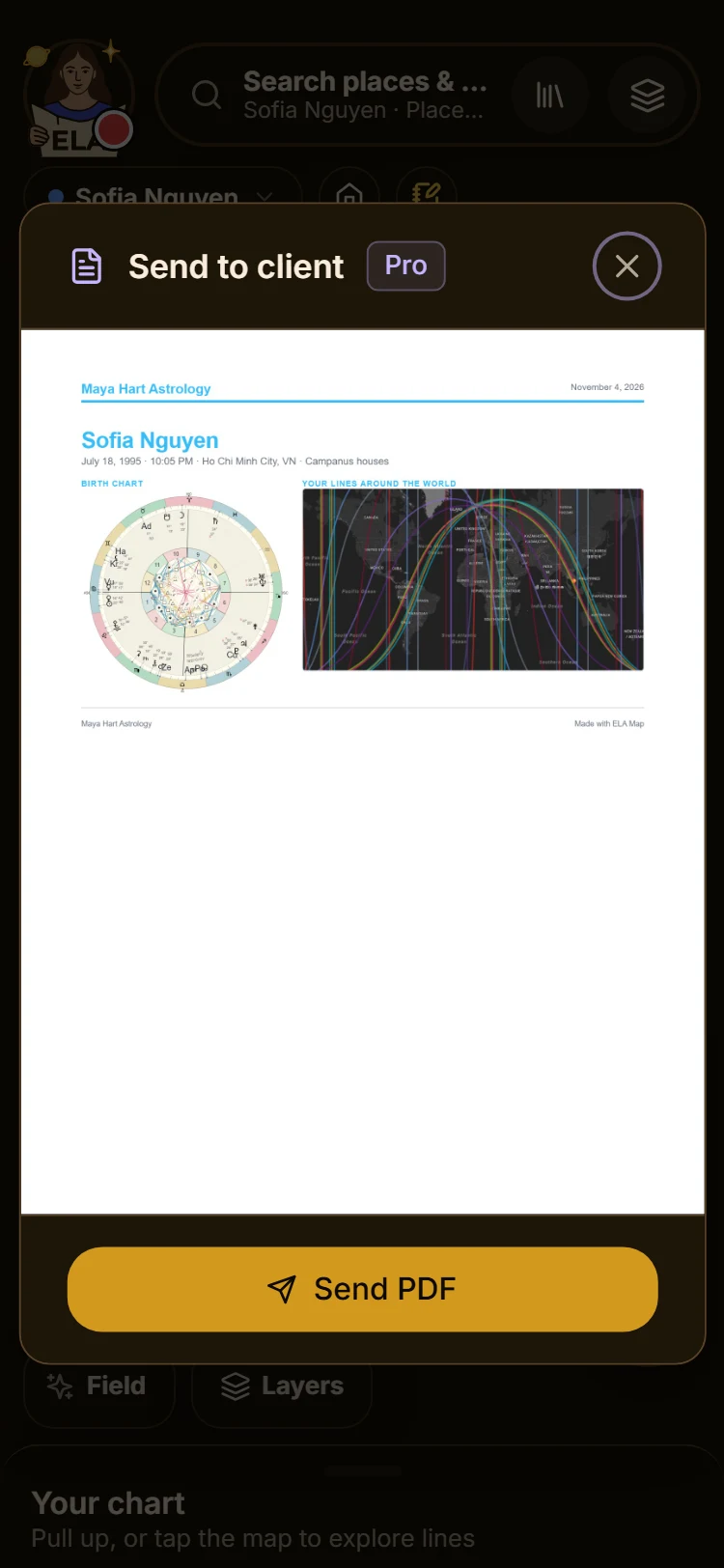
Send to a client from your phone
Make the one-page client sheet, with your name and logo, the birth chart and a world map. Pick a place on the map and the lines near it are added. Look it over and send it as a PDF, right from your phone.
In a session
What you use in front of a client.
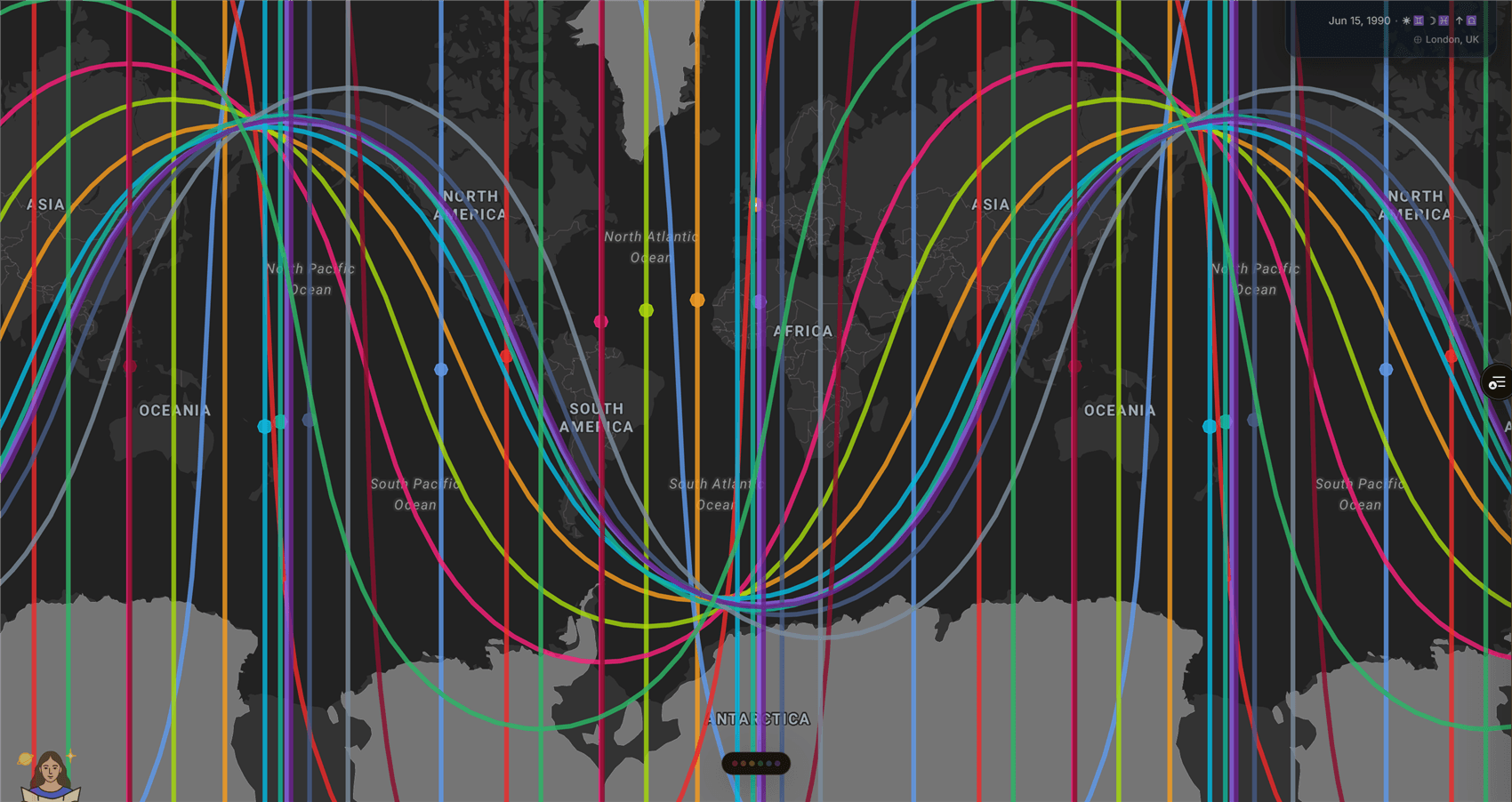
Presentation Mode
Build a session of stops before the call. Then walk the client through a full-screen map with captions, a title card and a closing card. A lean screen-share profile keeps it smooth on video calls.
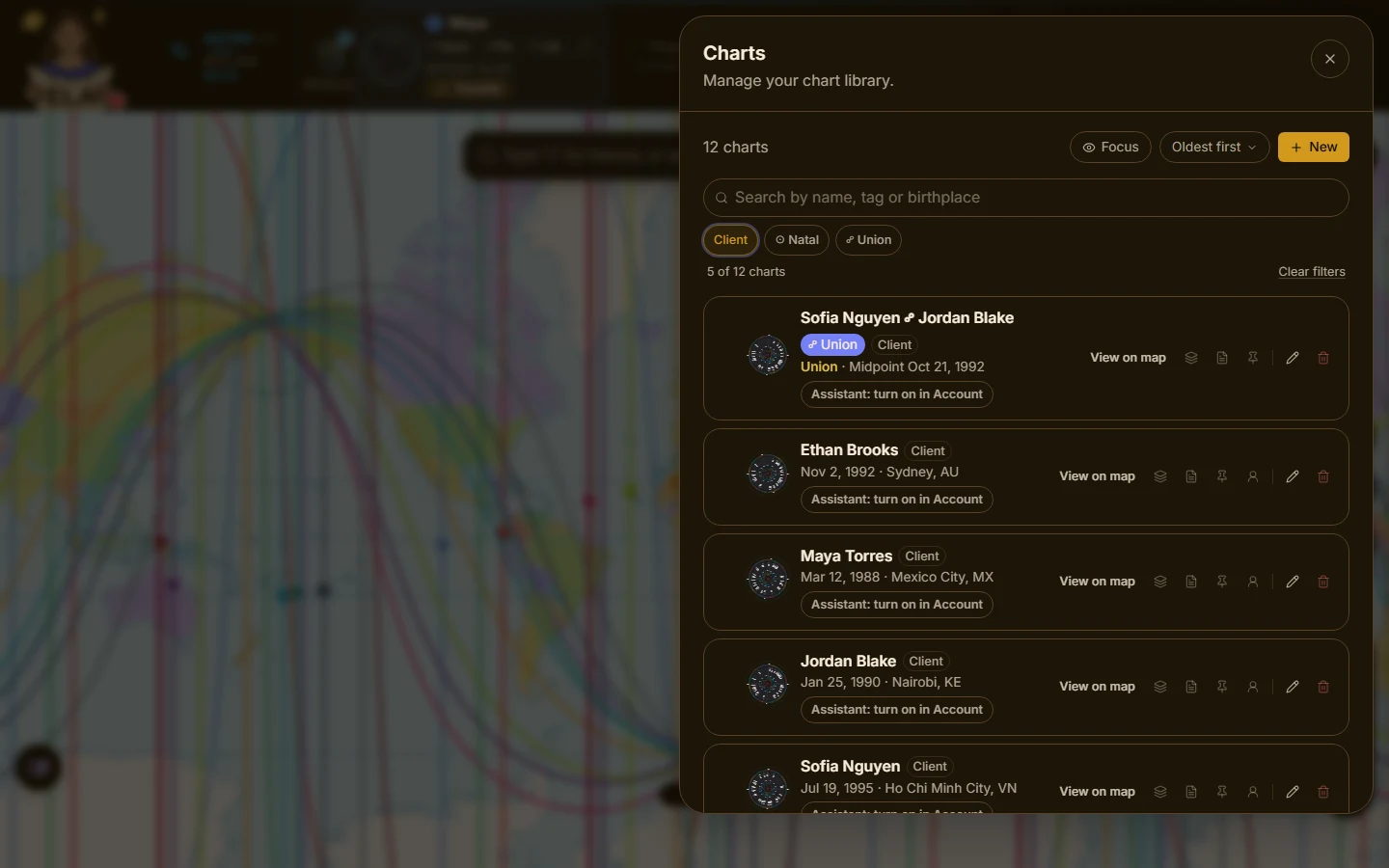
Your whole client book
Unlimited charts and saved places. Mark a chart as a client and it reads that way in the chart picker and in the report builder, so your own chart and your clients’ never get mixed up.
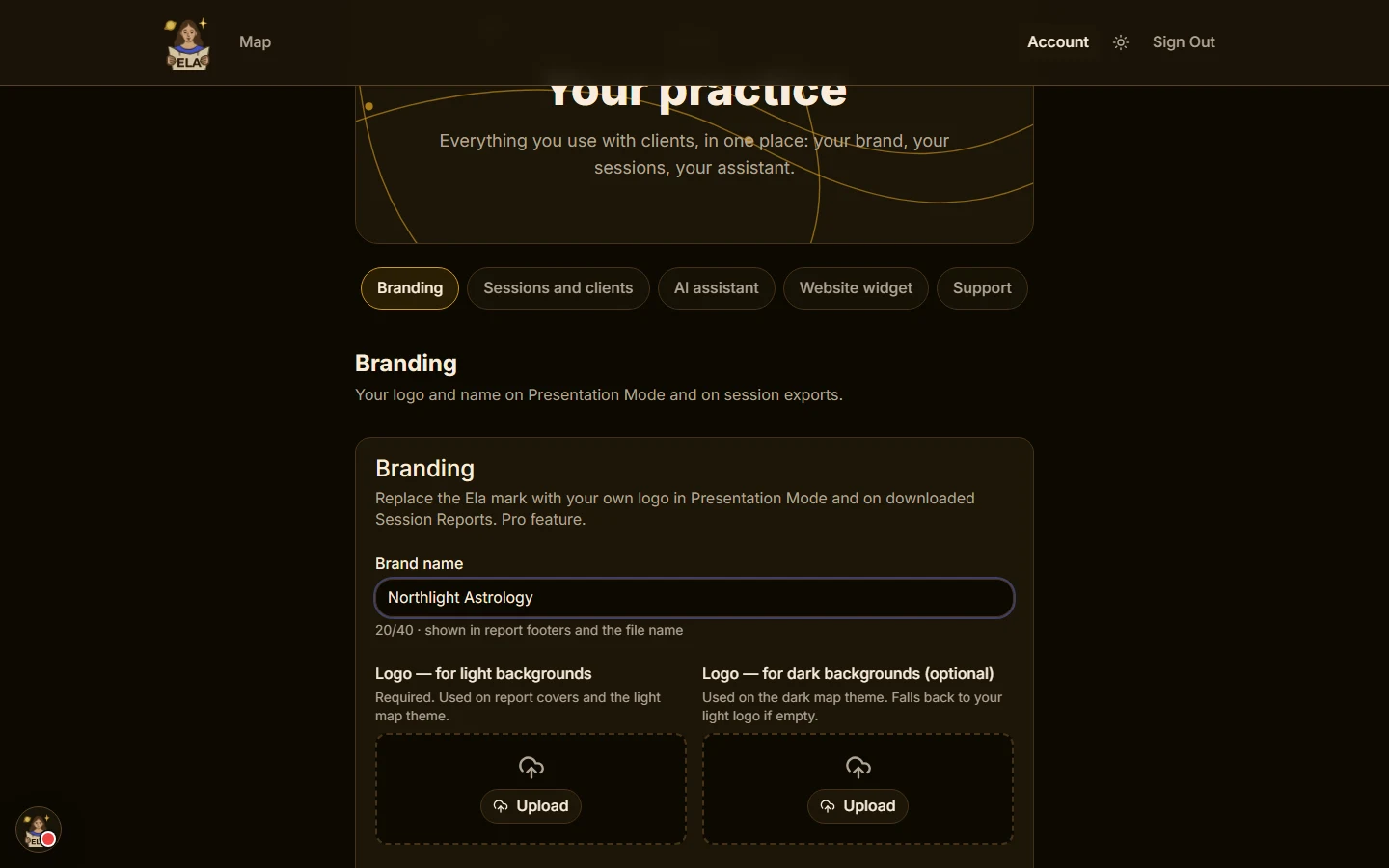
Exports under your brand
Upload your logo and brand name once. Presentation Mode shows your mark instead of ours, and session exports carry your name on the cover and in the footer. A small “Made with ELA Map” line stays on reports.
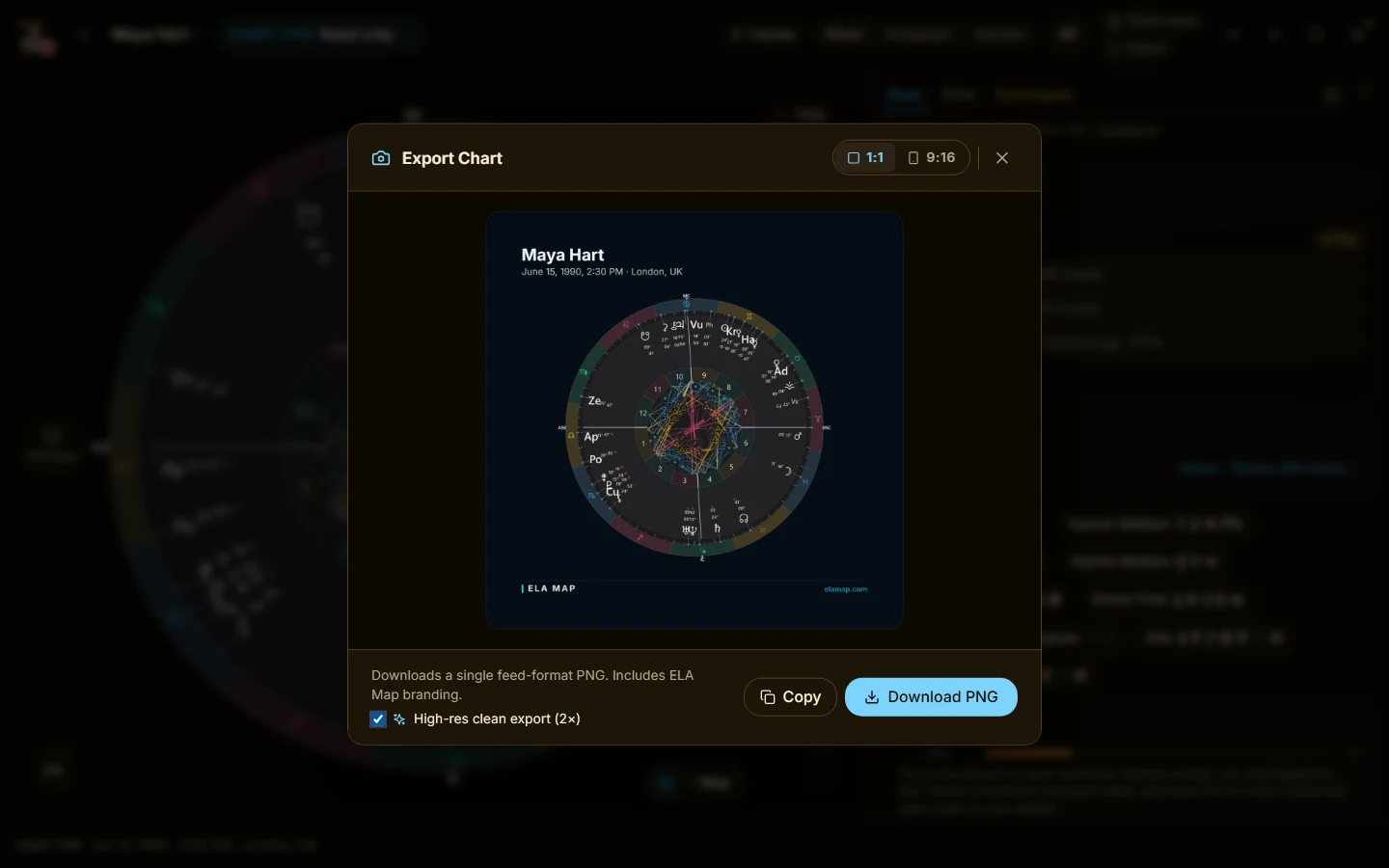
High-res exports
High-resolution screenshot export, plus white-labeled location chart and session exports.
Techniques
The chart work a practice runs on, beside the map.
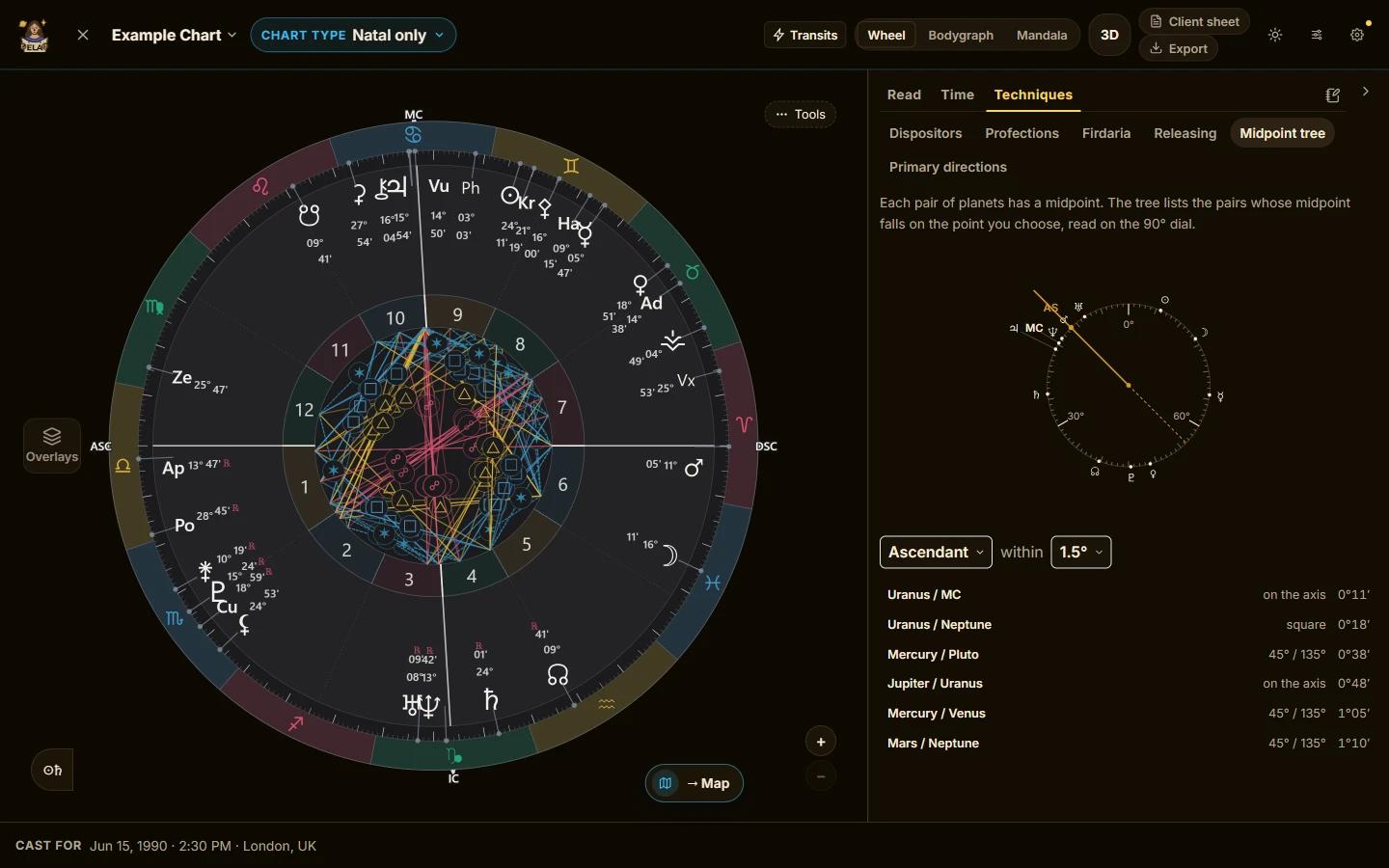
The professional technique suite
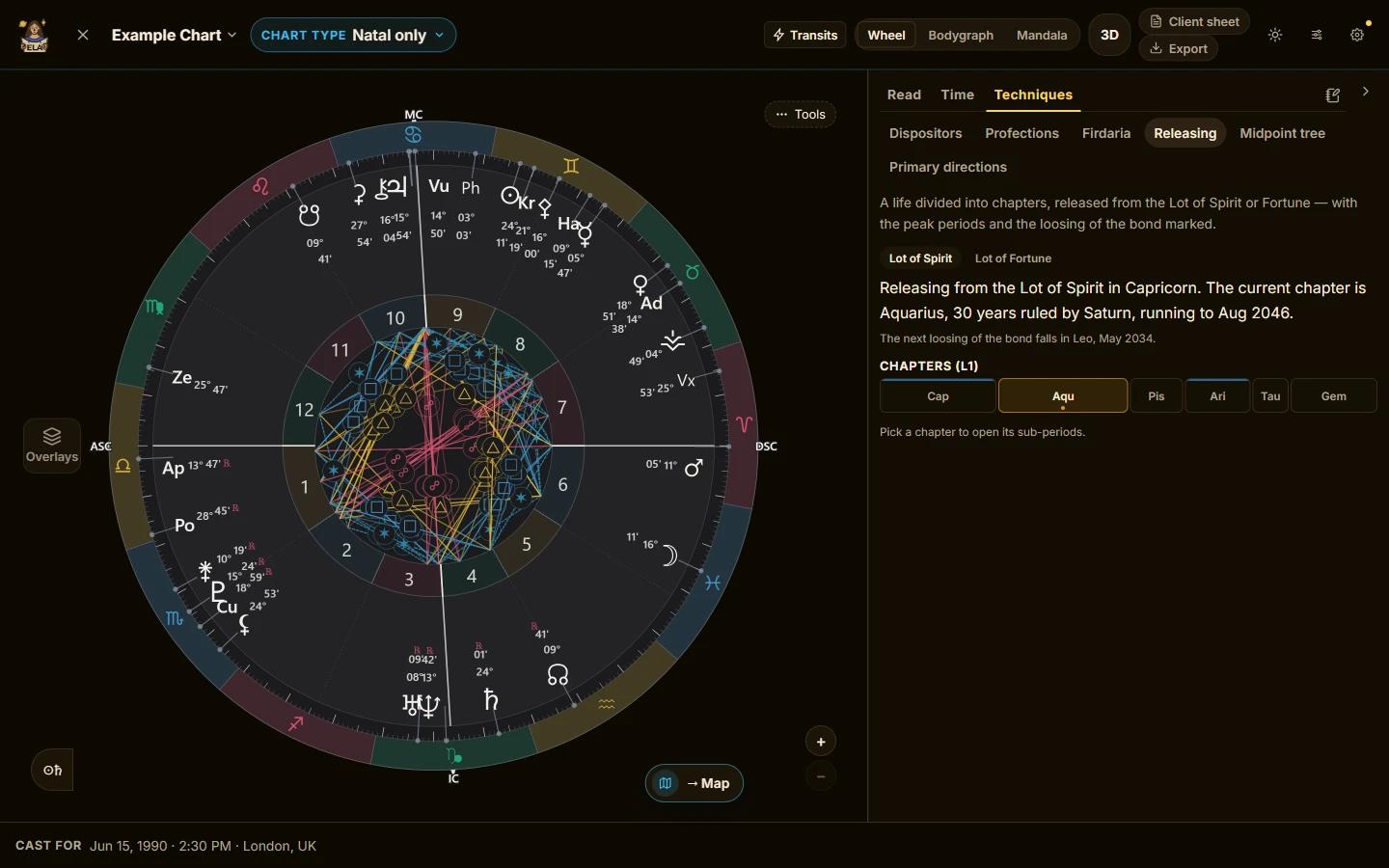
Antiscia, harmonics and draconic charts. The midpoint tree, read on a 90° dial, and primary directions. Firdaria and zodiacal releasing — a technique most professional software still does not offer. All of it beside a map. The dispositor tree, the chain of rulership drawn as a living diagram, and profections are included with Premium.
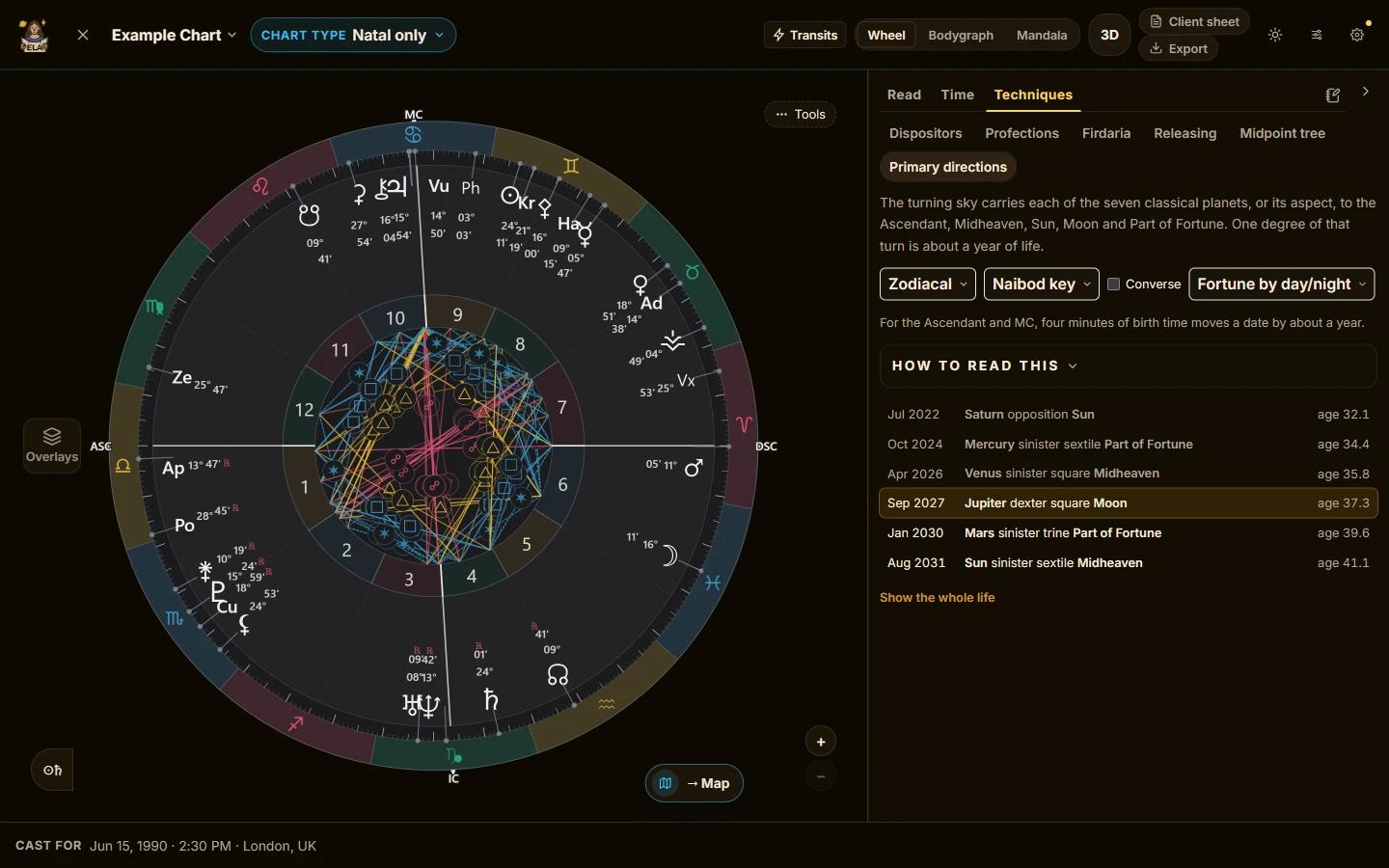
Traditional timing systems
Firdaria lay out a lifetime’s planetary periods; zodiacal releasing charts life’s chapters from the Lot of Fortune or Spirit. Primary directions date when each classical planet reaches your Ascendant, Midheaven, Sun, Moon and Part of Fortune. Profections, which highlight the activated house for any year of life, are included with Premium.
Narrow the time
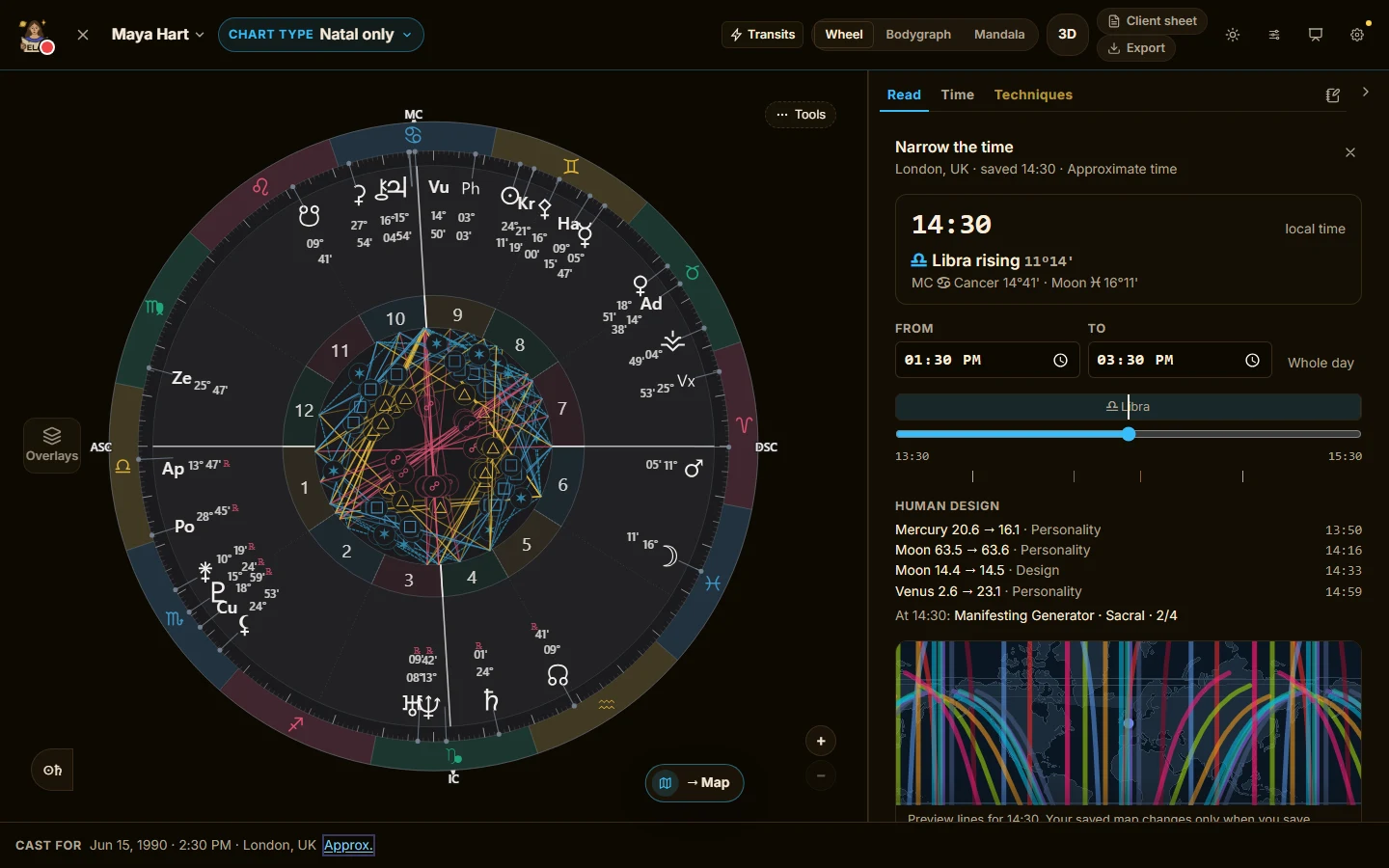
Not sure of a birth time? Set the window it could fall in and drag through it: the rising sign, the angles, the map lines and the Human Design gates move as you go. Add a few dated life events and the times that fit them best are shortlisted, each with its reasons. You choose the time; it is saved as approximate, with your note.
Timing
Not just where, but when.
Play the sky
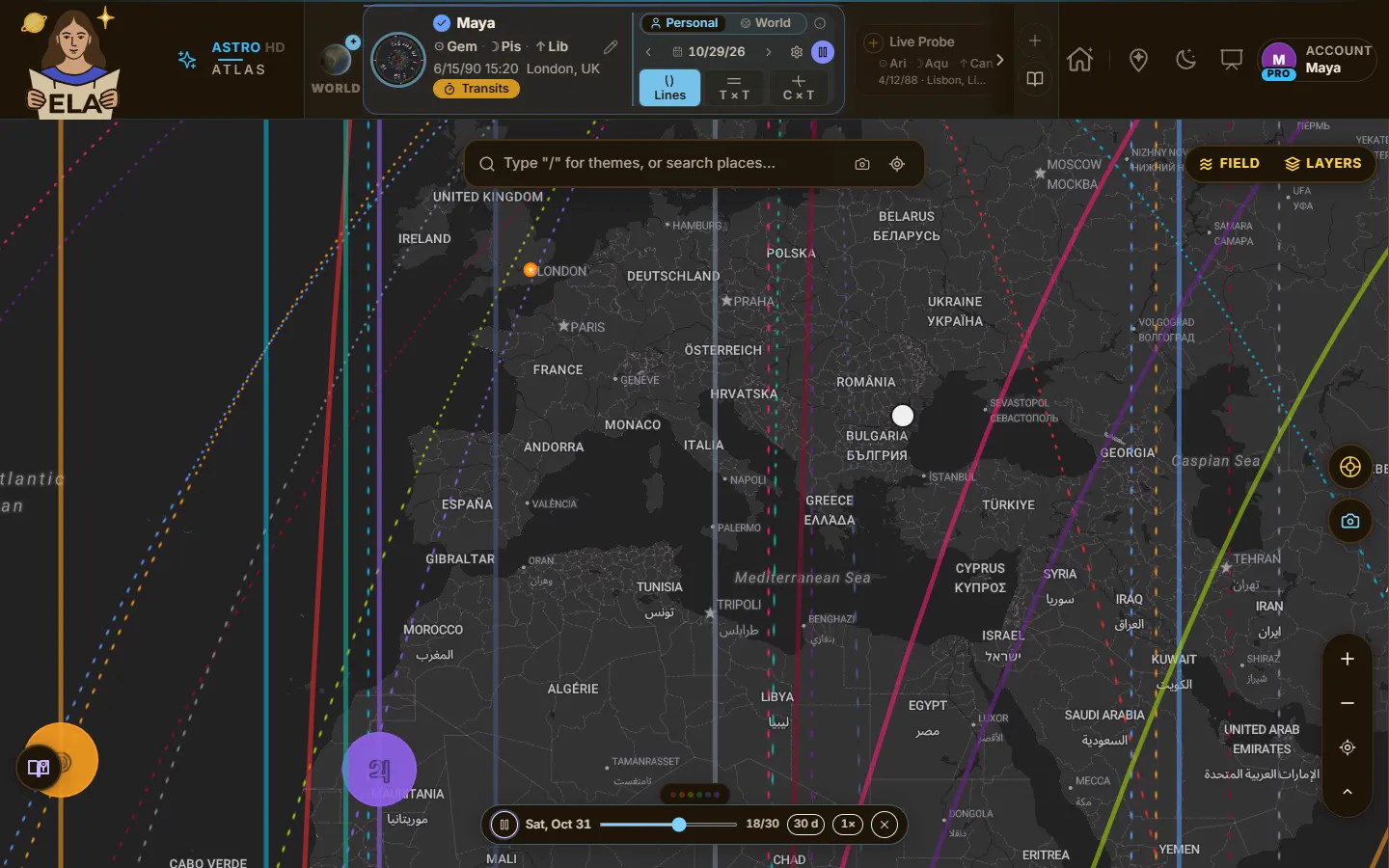
Press play on the transit card and watch the day’s transit lines sweep the map — the Earth turning under the planets, looping — or run a week or a month a day at a time. The chart wheel, the bodygraph and the night shadow move with it, and the nearest line to your pinned place reads out as it passes. Personal and World frames.
Longer horizons & the full sky
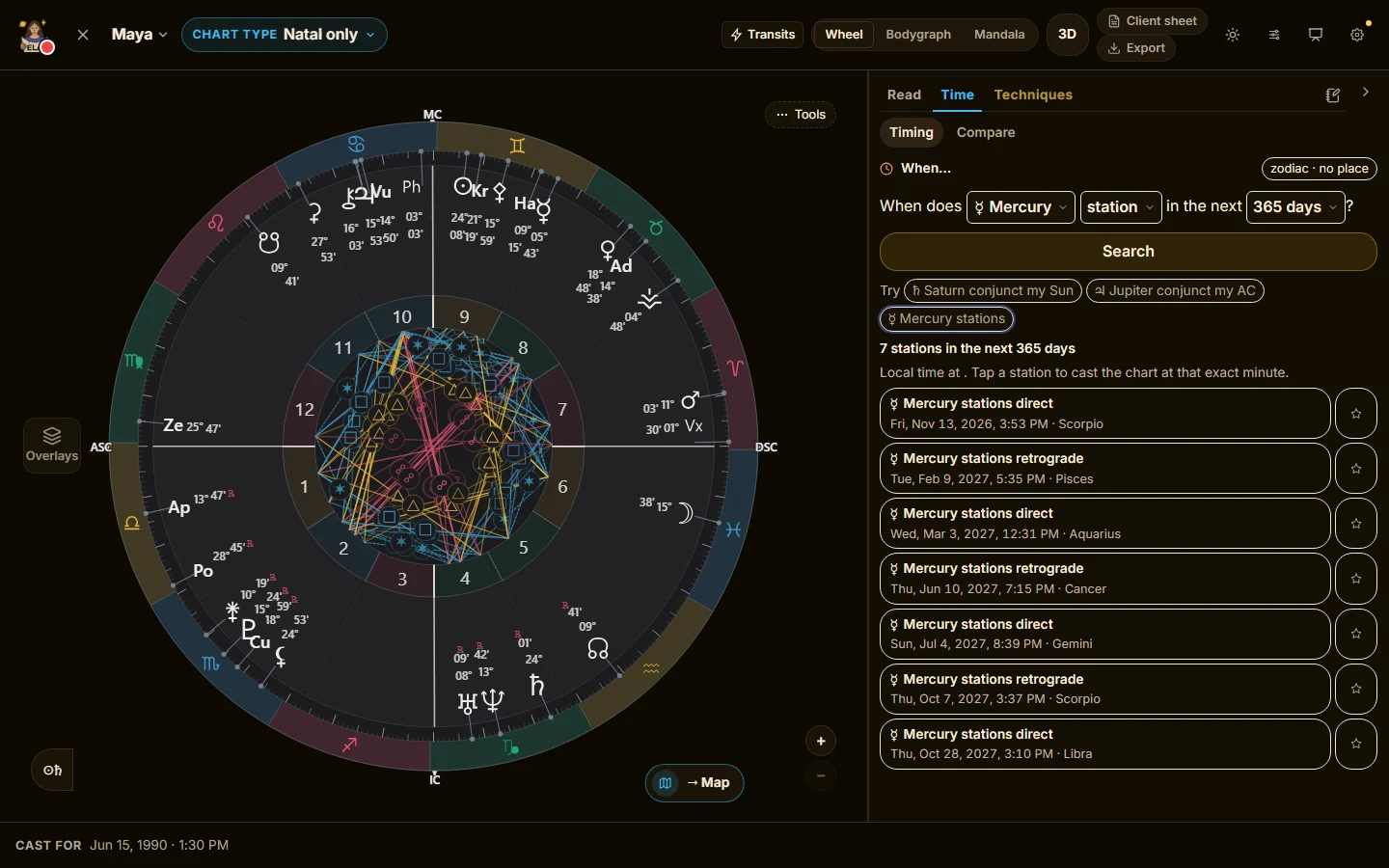
Premium searches run up to 90 days ahead, on the map and in the Chart Lab. Pro extends both to a year and opens the extended body set, so the search covers the same sky the CCG timeline does.
Chiron and the asteroids, moving
Transit lines go past the ten planets, the Nodes and Lilith: Chiron and the asteroids move across the map too.
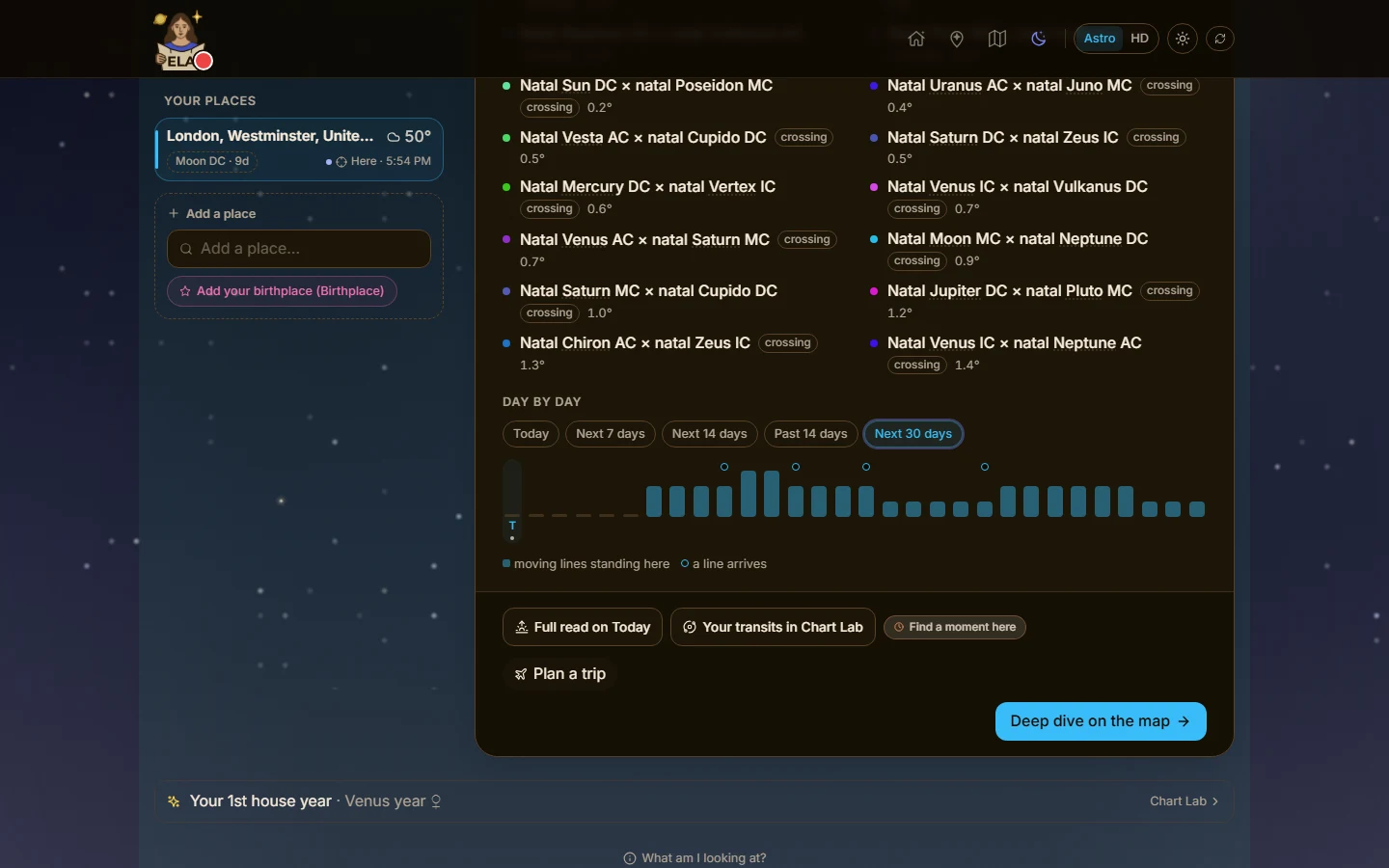
Saved places, a month ahead
Read your saved places against the sky for the next 30 days. Premium looks 7 or 14 days ahead.
For your clients
Reading for others, between sessions.
Follow a client’s chart
Choose whose chart a place or a transit is followed for, a partner’s or a client’s, and hear 1, 3 or 7 days ahead. Pro follows up to 50 places.
Human Design
Switch the map to Human Design and the same session tools carry over: the bodygraph, the gate wheel and the Team Map for a group of up to five people, all beside the map. Pro adds the working layers.
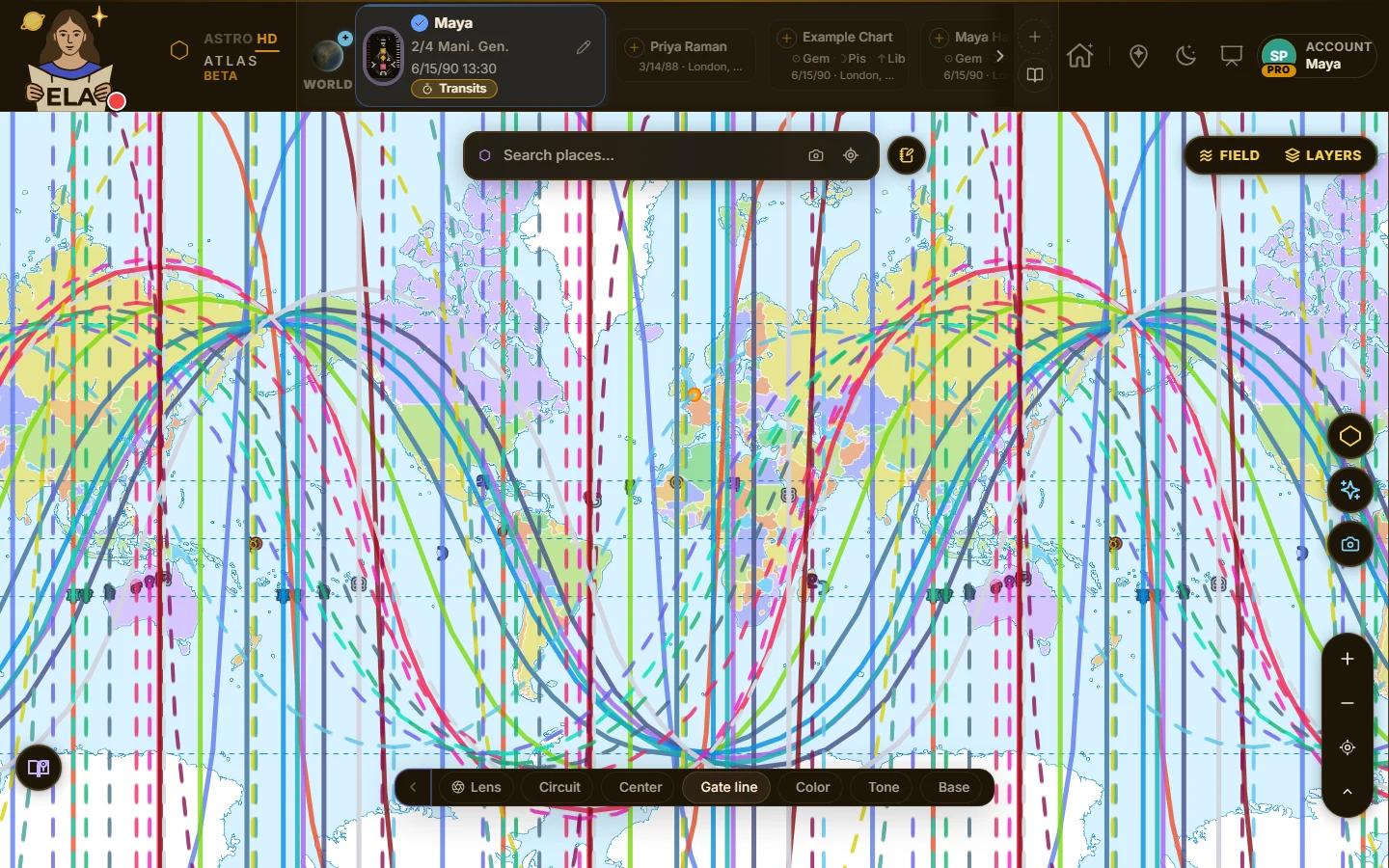
Color, Tone and Base
Filter the Human Design layer by Color, Tone and Base.
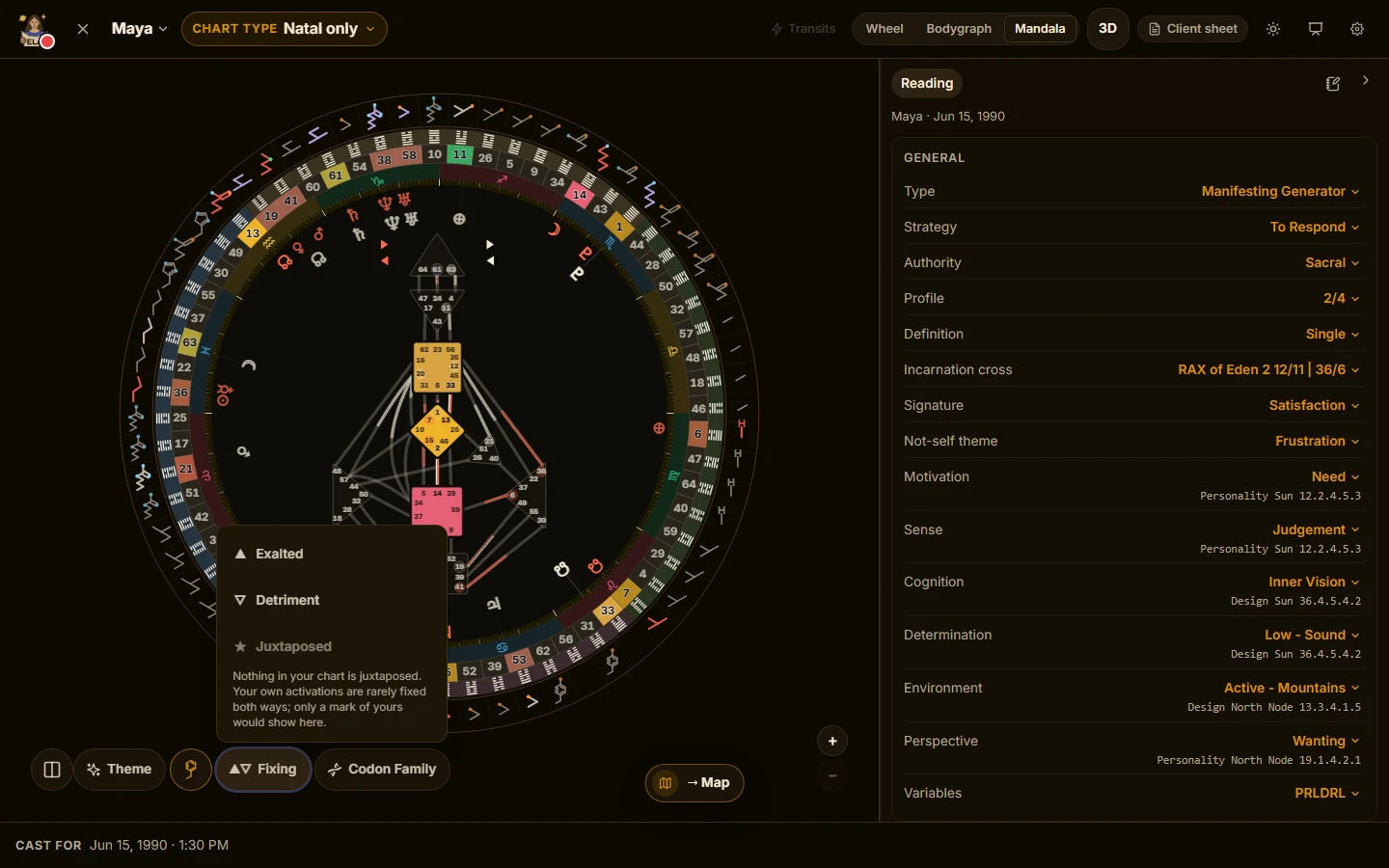
Line fixing
Mark any activation as exalted, in detriment or juxtaposed, then sort and filter the map by it.
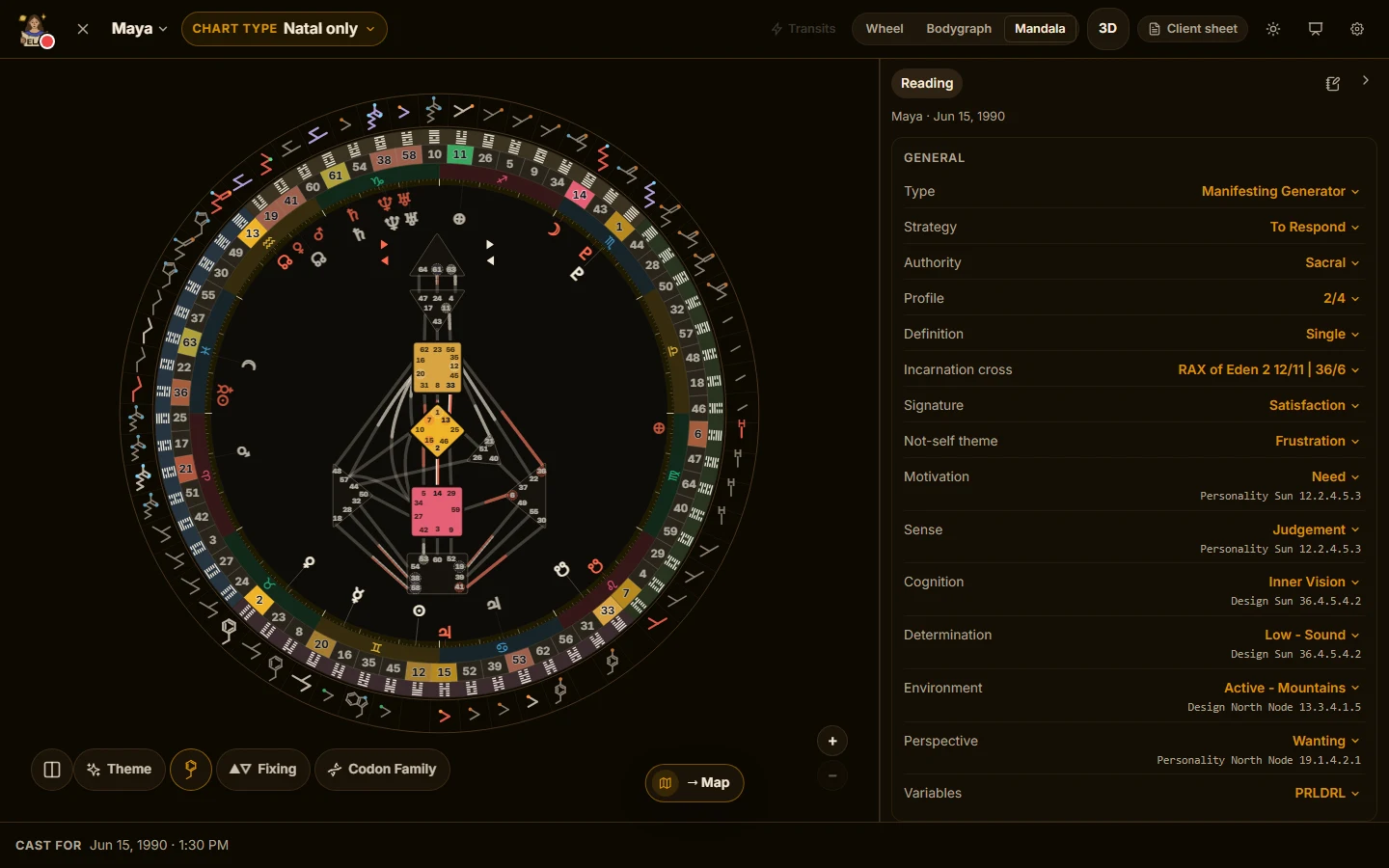
Amino acids on the mandala
Read what each gate’s codon translates to, and the codon families, on the mandala.
Every Pro technique, and what each one does
Support
Pro questions are answered first, by a person. Your feature requests are read first and shape what gets built next.
Reports for your clients
Location Context Reports are $24 each and available on any plan, so you can send one for any chart in your book, client or your own — no subscription required. Read a sample report before you send one.
Founding rate
$20 a month
or $164 a year. Cancel any time from your account.
See Pro on the pricing pageArc-second-precise NASA/JPL ephemeris data, interpreted through transparent, named astrological doctrine. AI refines a library of carefully written meanings to fit your chart. Accurate, location-aware, and yours to trust.