The techniques practitioners reach for
Jackson · November 9, 2026 · 8 min read
Photo: Ahmed Atef / Unsplash
I've been asked a lot for a tool that offers a very smooth session experience: something that presents in a much more professional light than simply pulling up Solar Fire or astro.com to demonstrate during a session. Something that gives a practitioner a home space to build, track and navigate sessions.
ELA Map is a natural fit for the professional astrologer, Human Design practitioner and astrocartographer.
Who this is for
If you read charts for other people, you need the classical techniques in one place, drawn on the chart you are looking at, and a way to show a client where it lands on the map. That is what the Chart Lab's depth is for.
Everything below runs on the same demo chart as the room your chart lives in: born 15 June 1990 in London, not a real person.
Stars, lots and the rest of the sky
The Bodies list on the left of the wheel holds more than the planets. It has five groups: the bodies, the asteroids, the Hermetic Lots, the fixed stars and the galactic points. Tap one to show or hide it. Tap a group to switch the whole group. The ◎ beside a body solos it: that body alone, everything else hidden, its aspects with it.
Fixed stars come from a catalog of more than fifty named stars. Each one is drawn by brightness, so Regulus reads louder than a faint star. A star within one degree of a planet or an angle is a contact, and it gets a line to the wheel. Hover a star for its name, its magnitude and what it touches.
The Hermetic Lots sit on the wheel beside the planets: Fortune, Spirit, Eros, Necessity, Courage, Victory and Nemesis. Each opens a reading with its sign and house.
They start hidden. You add the star that touches your Venus, not a sky full of names.
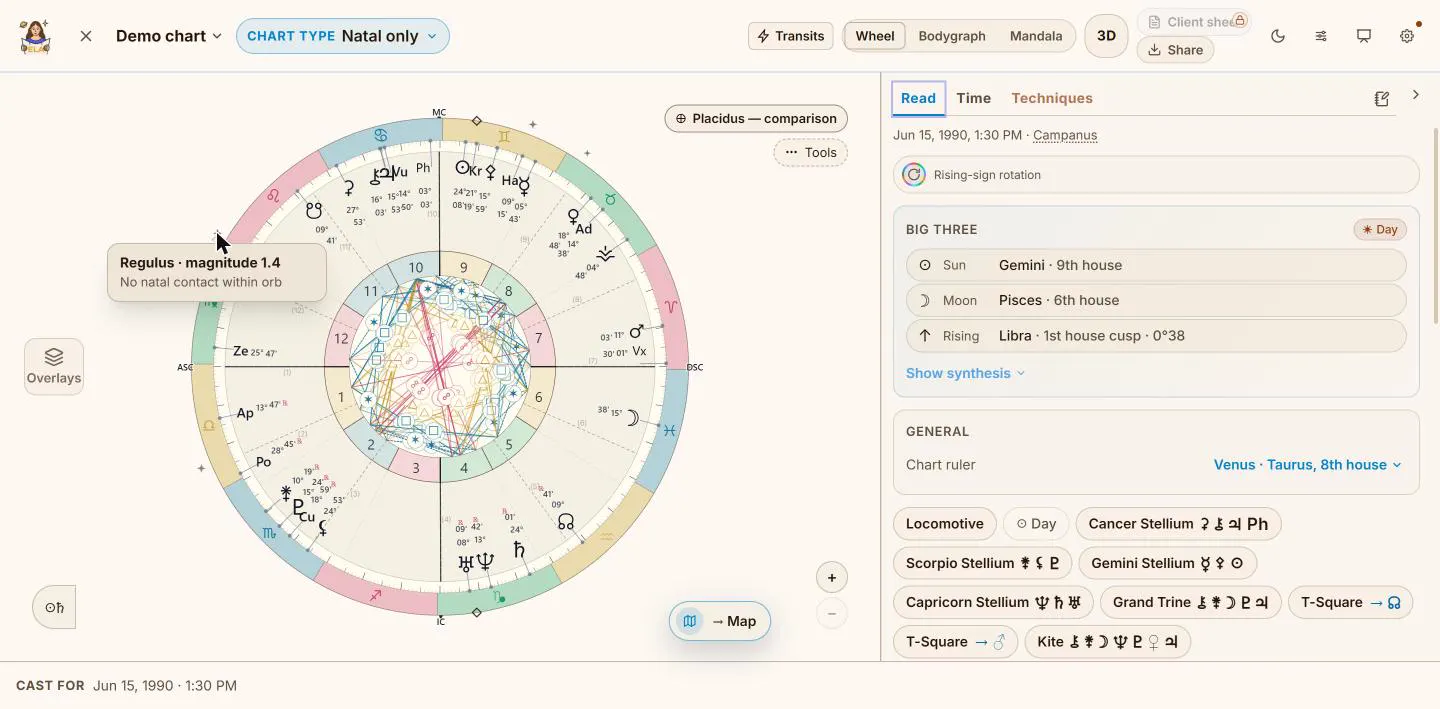
Four stars and two lots switched on. Hover a star for its card: Regulus touches nothing in this chart.
Mirrors and other frames
Antiscia mirror every point across the solstice axis, and across the equinox axis for the contra-antiscia. The mirrors draw as faint glyphs joined to their planets, and the ones that land on something in the chart are picked out.
Harmonics refold every body onto a chosen harmonic: the 2nd, 3rd, 4th, 5th, 7th, 8th, 9th or 12th. Draconic re-anchors the zodiac to the true North Node. Both replace the positions on the wheel rather than adding to them, so one is on at a time, and "Only this frame" hides the natal chart underneath.
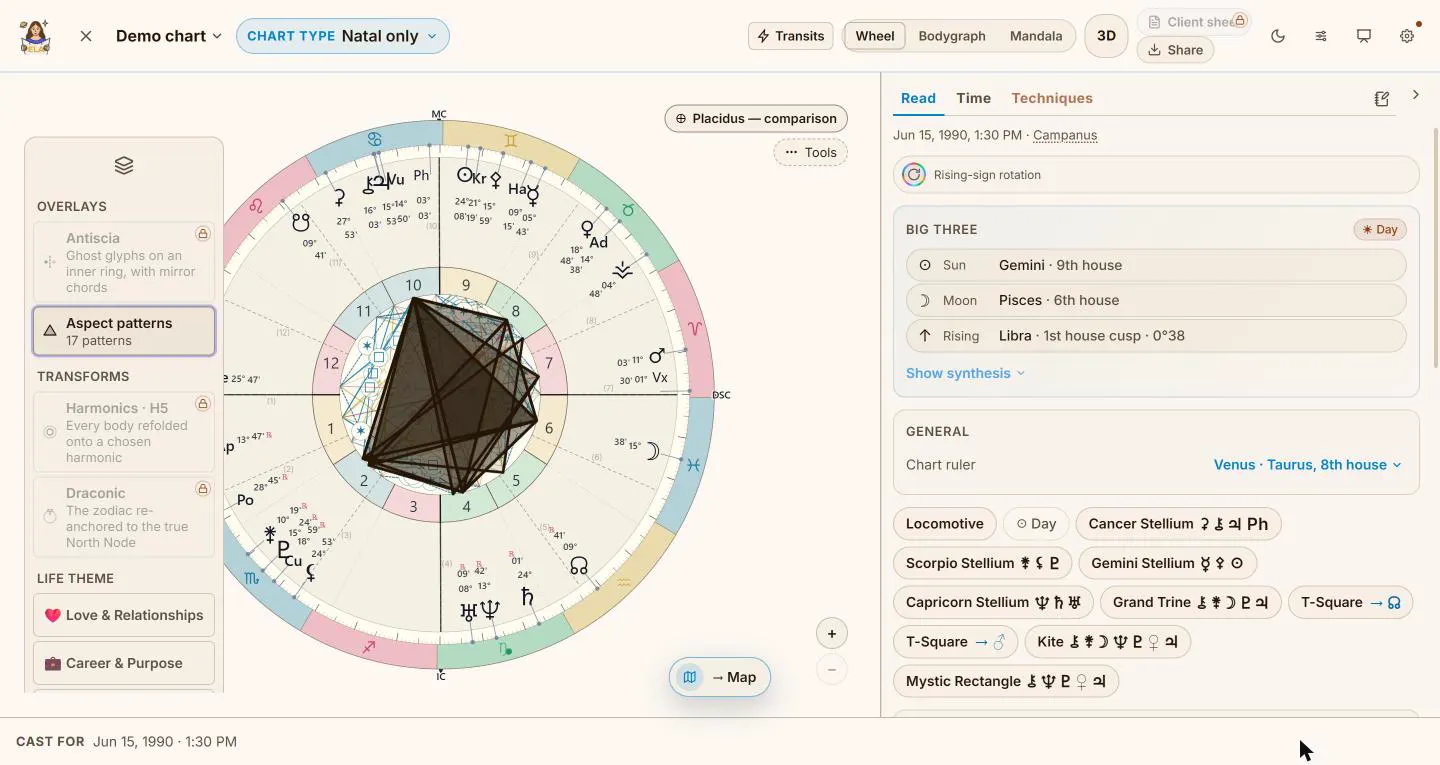
The Layers shelf: overlays on top, the transforms below.
Who rules whom: dispositors
The dispositor tree follows the chain of rulership: which planet rules the sign each of yours sits in, all the way to where it ends. It names a final dispositor when there is one, lists mutual receptions, and draws a loop as a loop instead of forcing it to an end.
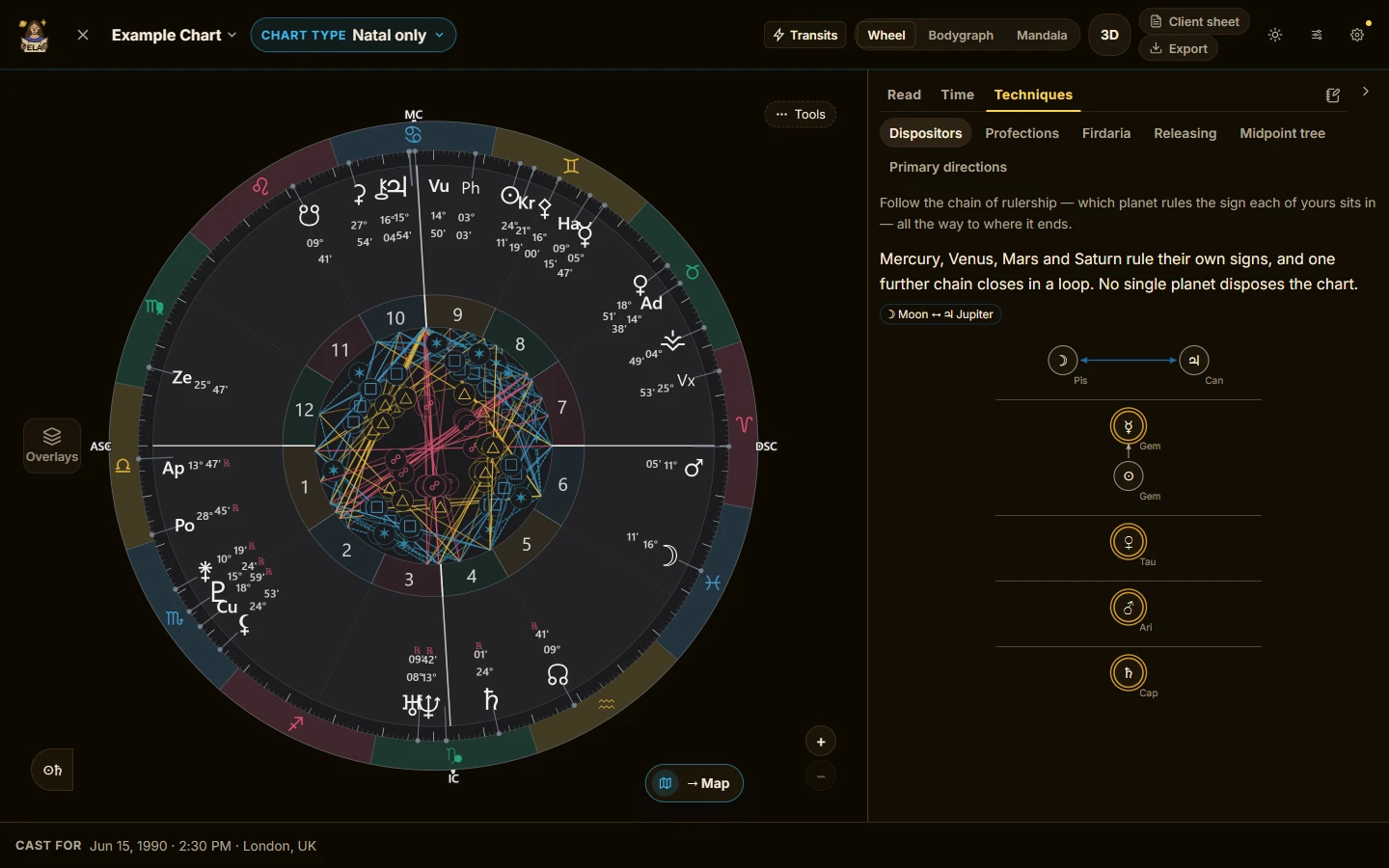
The demo chart's tree. Mercury, Venus, Mars and Saturn rule their own signs, and the Moon and Jupiter answer to each other.
Which house the year wakes up: profections
Each birthday moves one sign on from the rising sign. That sign runs the year, and its ruler is the year's time lord. While the tab is open, the year's sign lights up on the wheel, and the list runs year by year, forward and back.
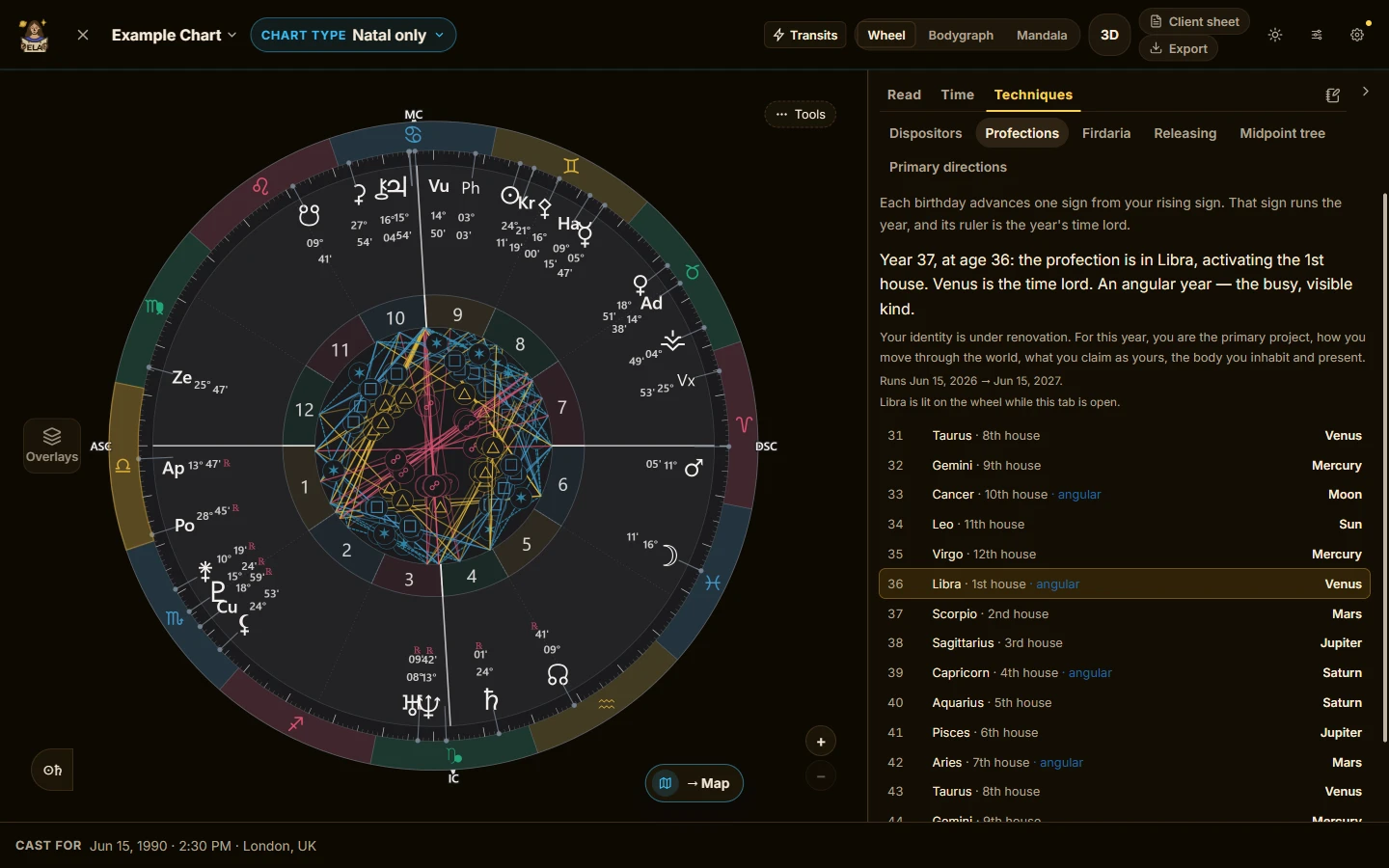
Year 37: Libra, the first house, with Venus as time lord.
The long periods: firdaria
Firdaria divide a 75-year span into major periods, each ruled by a planet and split into seven sub-periods. Day and night births run different sequences. If the birth time is missing, the tab asks which one it was instead of guessing.
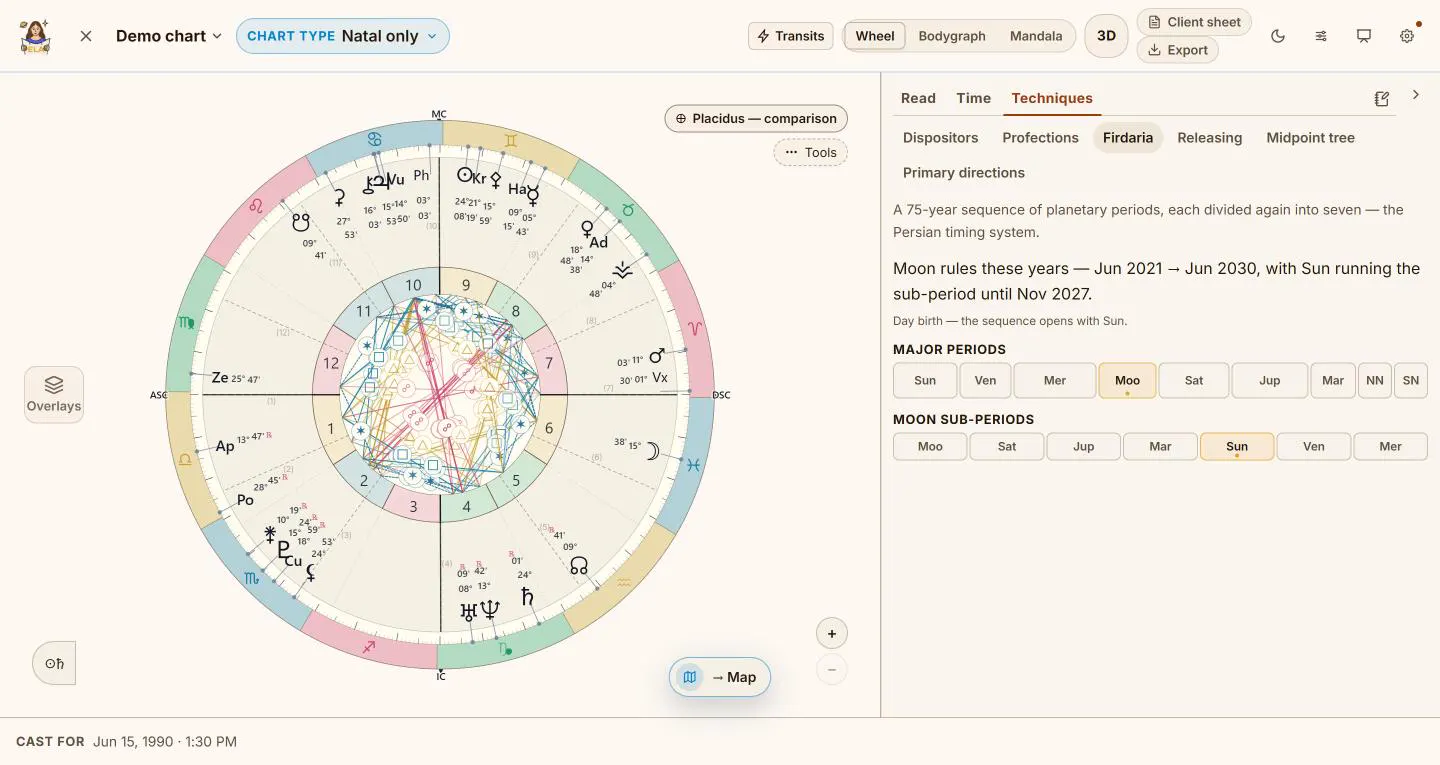
The demo chart's firdaria: a Moon period with a Sun sub-period, read from a day birth.
The chapters of a life: zodiacal releasing
Releasing runs from the Lot of Spirit by default, or from the Lot of Fortune. It shows the first two levels: the long chapters, and the periods inside the current one. Peak periods are marked, from Spirit, and so is the loosing of the bond.
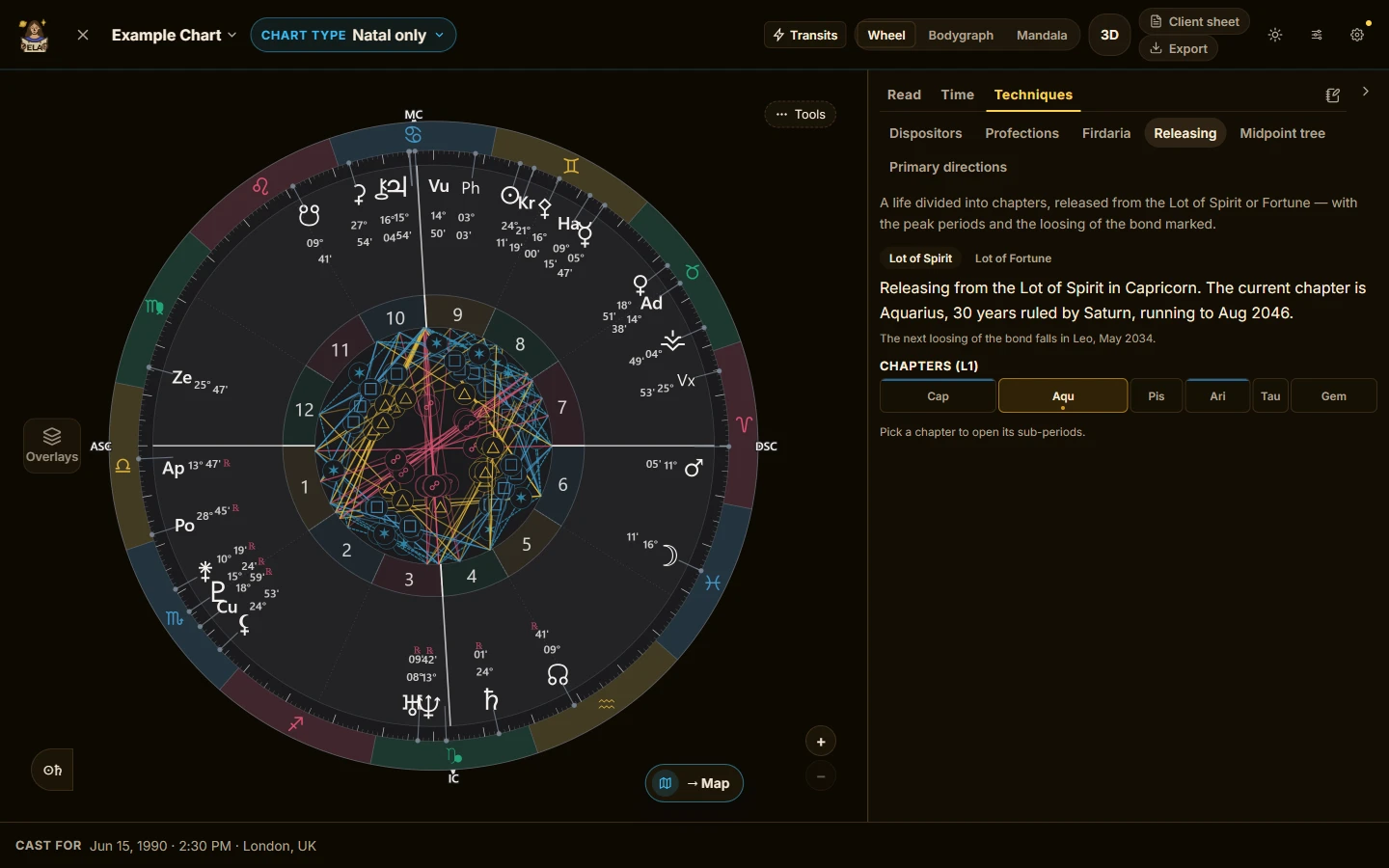
Releasing from the Lot of Spirit. The strip shows the chapters; the current one is open.
What sits on a point: the midpoint tree
The midpoint tree covers thirteen factors: the Sun through Pluto, the Node, the Ascendant and the Midheaven. That is 78 pairs. Choose an orb of one, one and a half or two degrees. The 90° dial sits above the list. Tap a factor on the dial to make it the focus, and the list shows the pairs on it, tightest first. One tap sends a midpoint to the map, with its lines drawn.
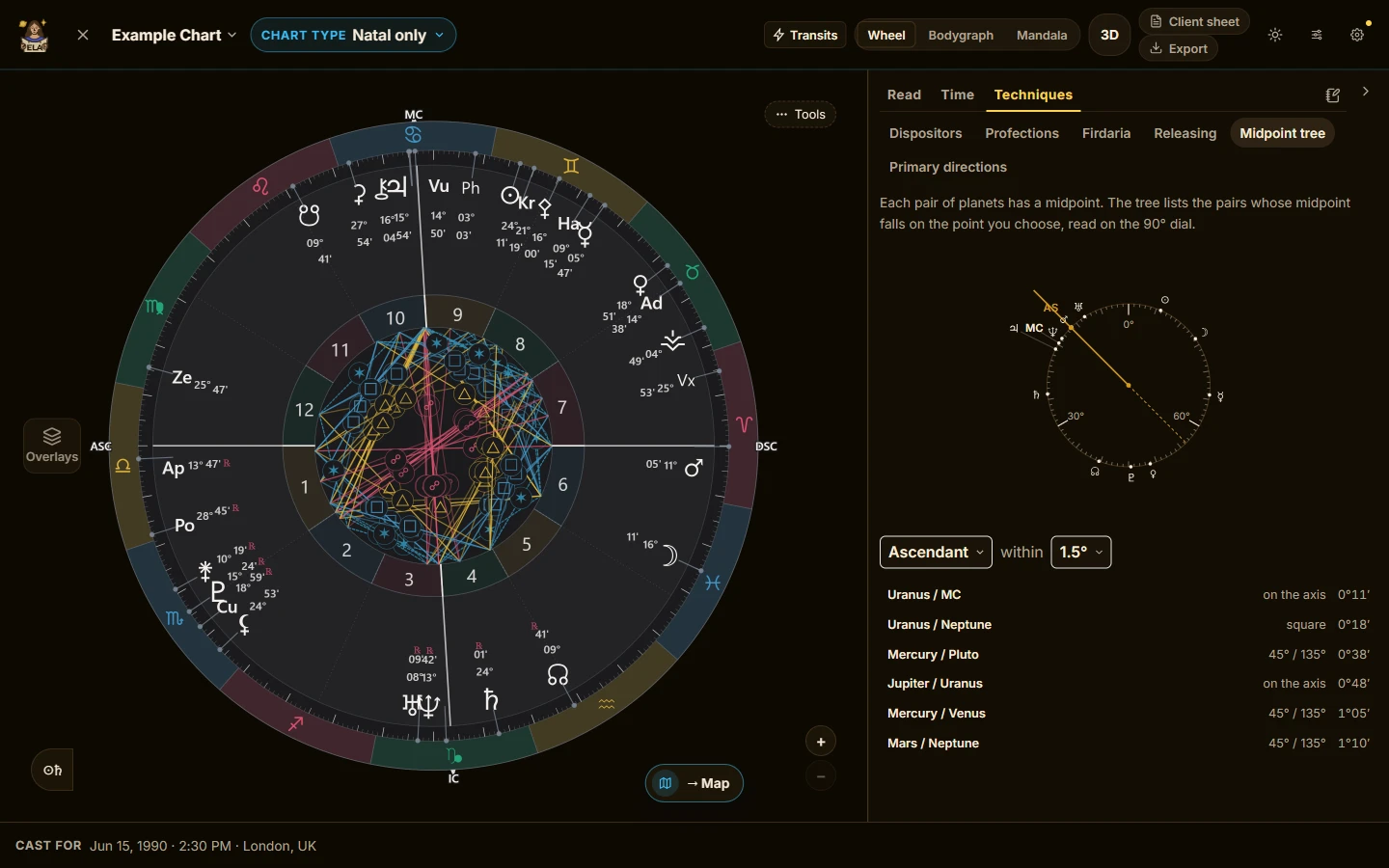
Pairs on the Ascendant within one and a half degrees, with the dial above.
When a planet reaches an angle: primary directions
Primary directions come in both forms, zodiacal and mundane, with the Naibod or Ptolemy key, and the converse if you want it. They are always cast for the birthplace. The list opens five years either side of today. Each row names the planet, the aspect, the point it reaches, the date and the age. Open one for the arc and both keys' dates.
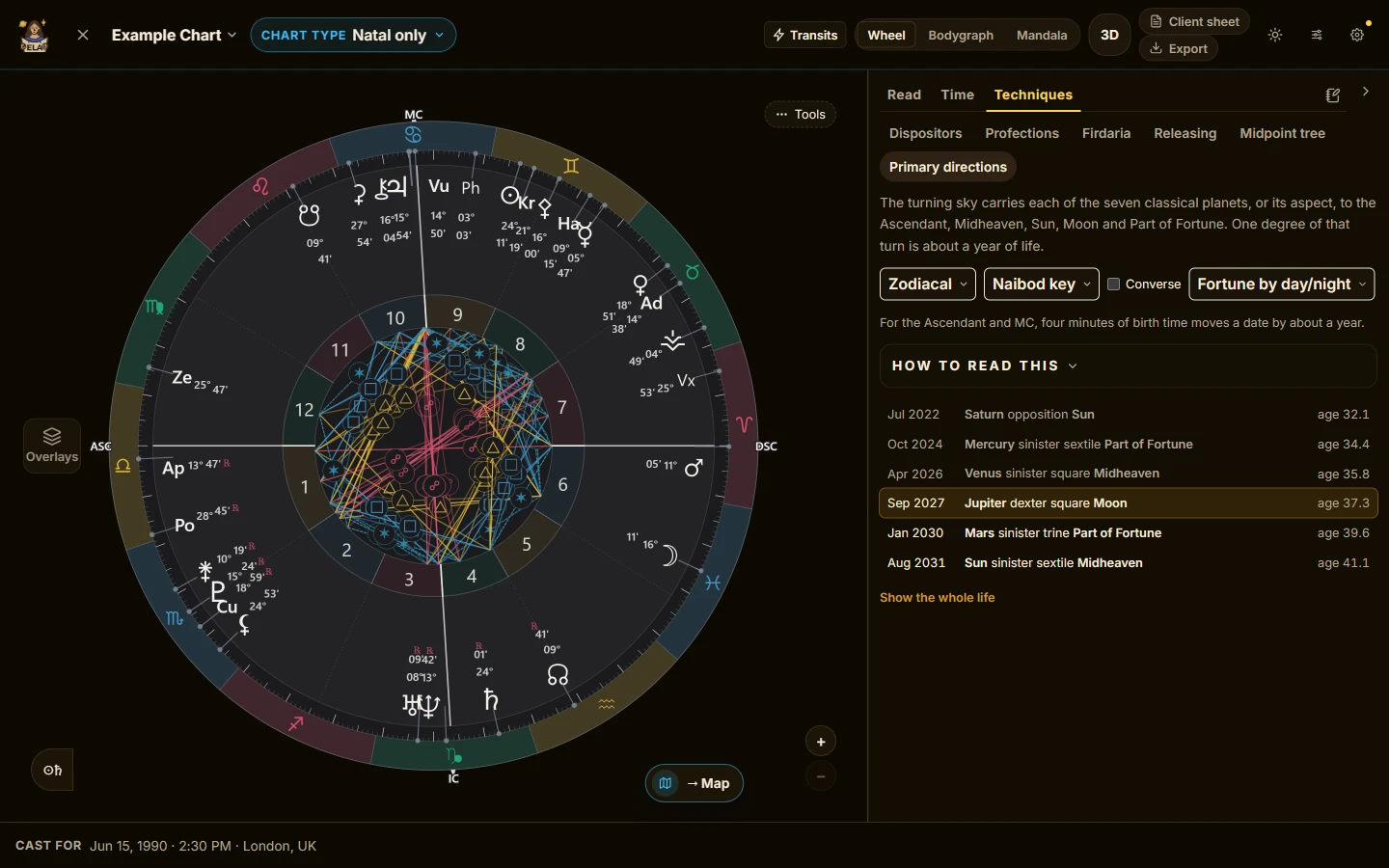
Each contact dated, with the age it falls at.
Houses, and a moment you chose
The ghost ring lays a second house system over the chart without re-casting it, so you can show a client what moves between Placidus and Whole Sign, and what does not.
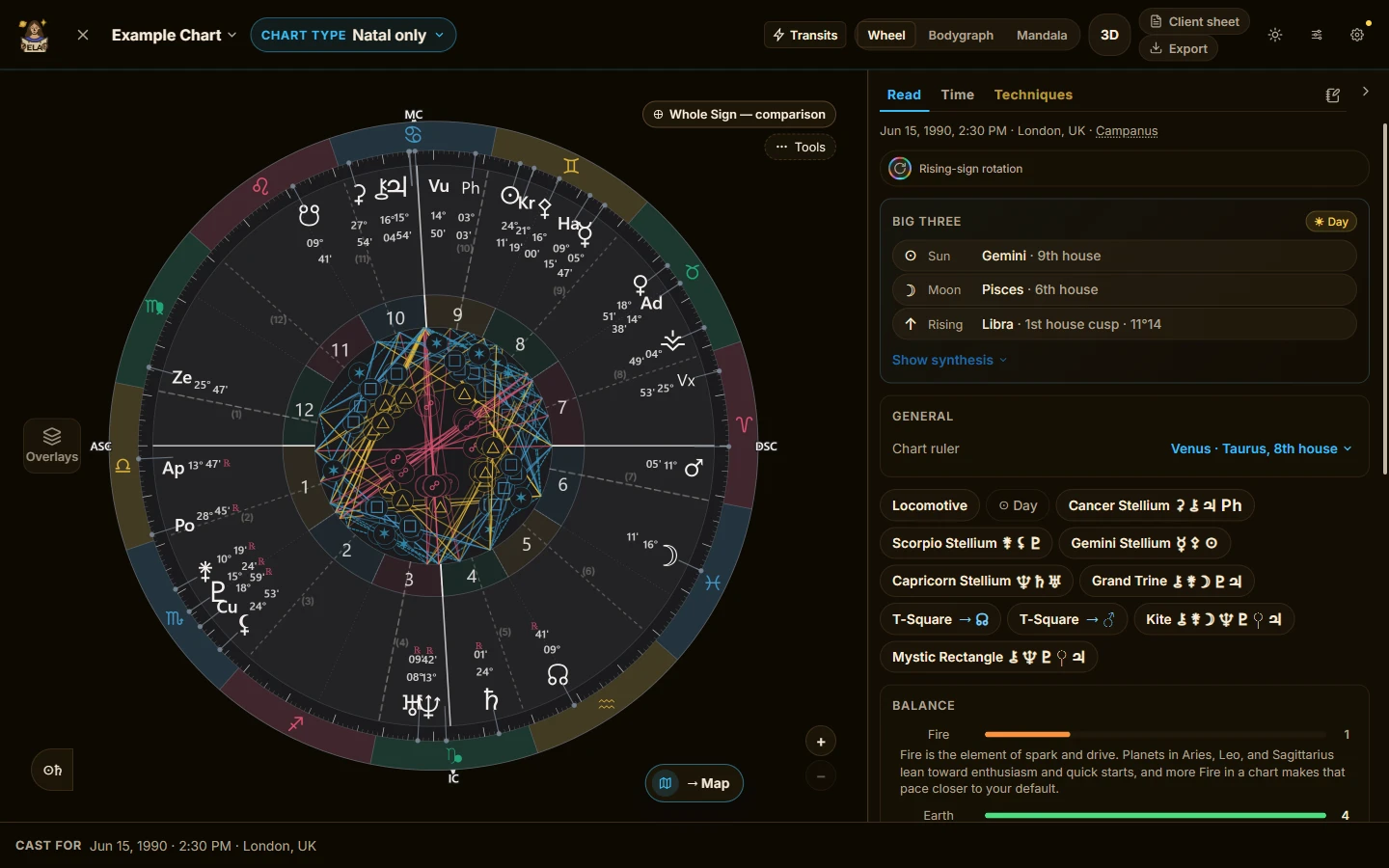
Whole Sign laid over the chart without re-casting it.
A moment you chose opens as its own chart, cast for a place, to the minute, with the time shown in that place's own time zone. You get there from a found moment: a Timing result in the Lab, or a result on the map. Show it alone, or around the natal chart. There is more on finding those moments in Ask the sky when.
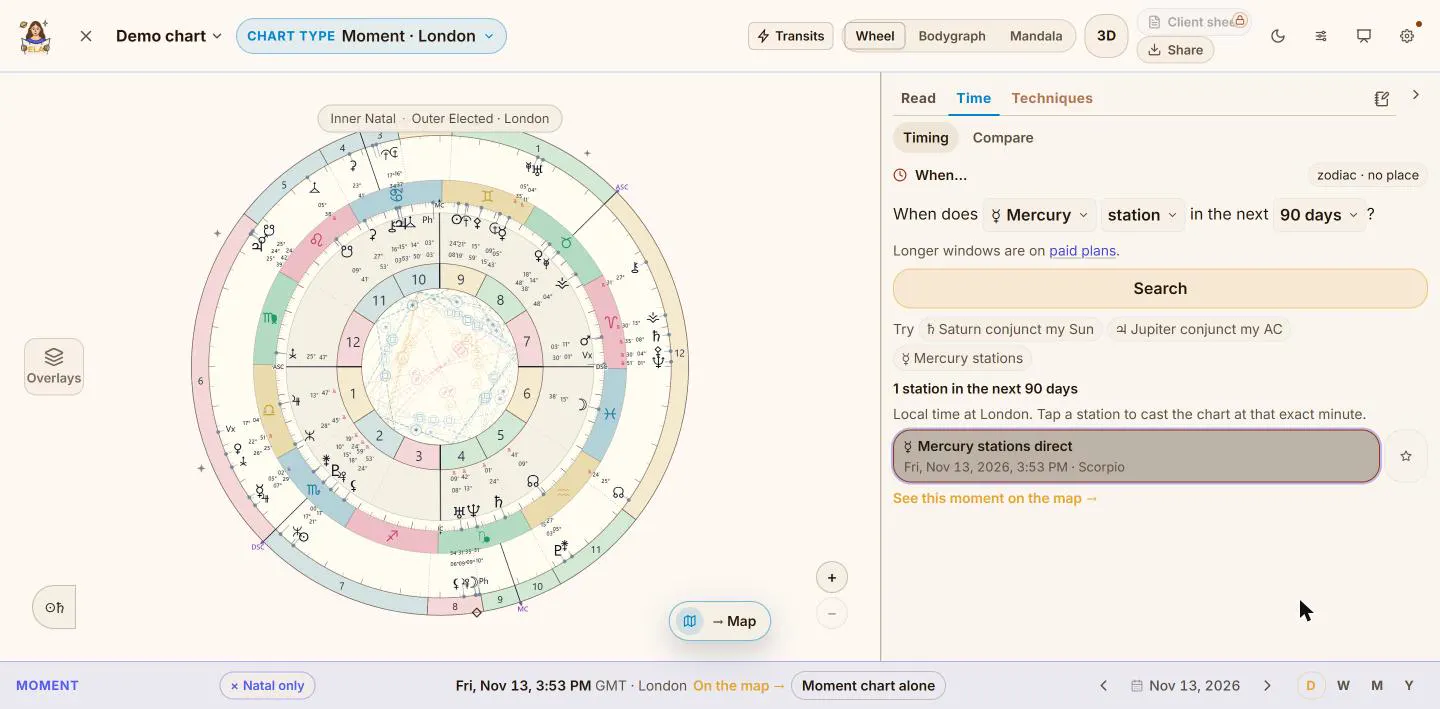
Mercury's station on 13 November, opened as a chart around the natal wheel.
When the birth time is uncertain
Narrow the time takes a time range and lets you scrub through it, watching the rising sign, the angles and the bodygraph move. Add life events and it shortlists the likely windows. It never picks a time for you, and a saved time stays marked as approximate.
What is free, what is paid
Aspect patterns are free. Premium adds the fixed stars, the Lots, the dispositor tree, profections and the ghost ring. Pro adds antiscia, harmonics, draconic, firdaria, zodiacal releasing, the midpoint tree, primary directions and Narrow the time. See the plans.
Try it
If you read for other people, the professionals page covers the rest of what Pro adds. The Lab itself is described in the room your chart lives in.
Support for practitioners is top-notch. I reply right away, and address and build the things that you need.